See the team you have. Plan the one you need.
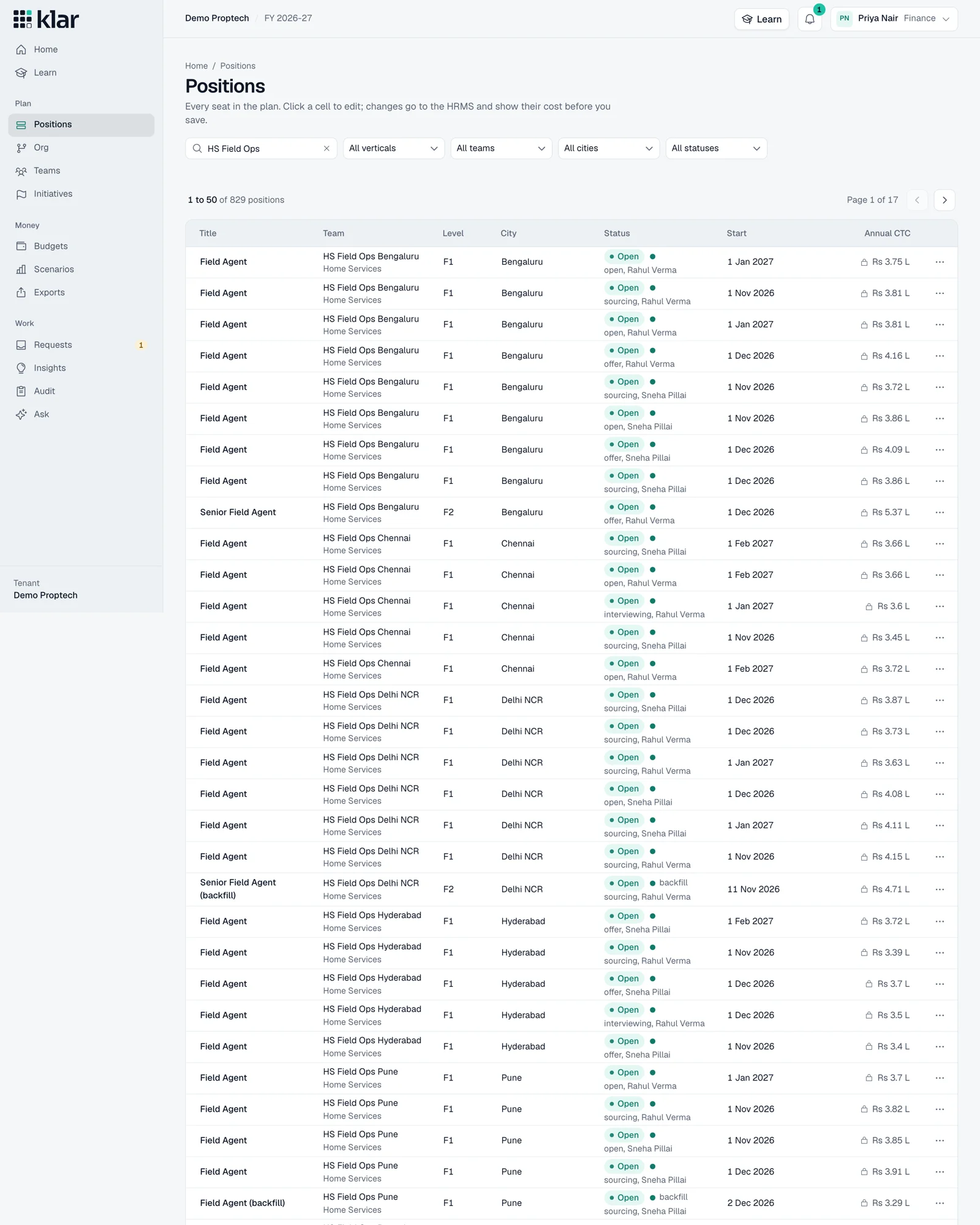
Filled positions, open roles, and future hires. One view of your team, with a start date and a cost for every seat.
Headcount planning, connected.
One shared headcount plan for HR, finance, and hiring. Know what’s changing, what it costs, and what comes next.

Give every team the context to make the next people decision a better one.
Filled positions, open roles, and future hires. One view of your team, with a start date and a cost for every seat.
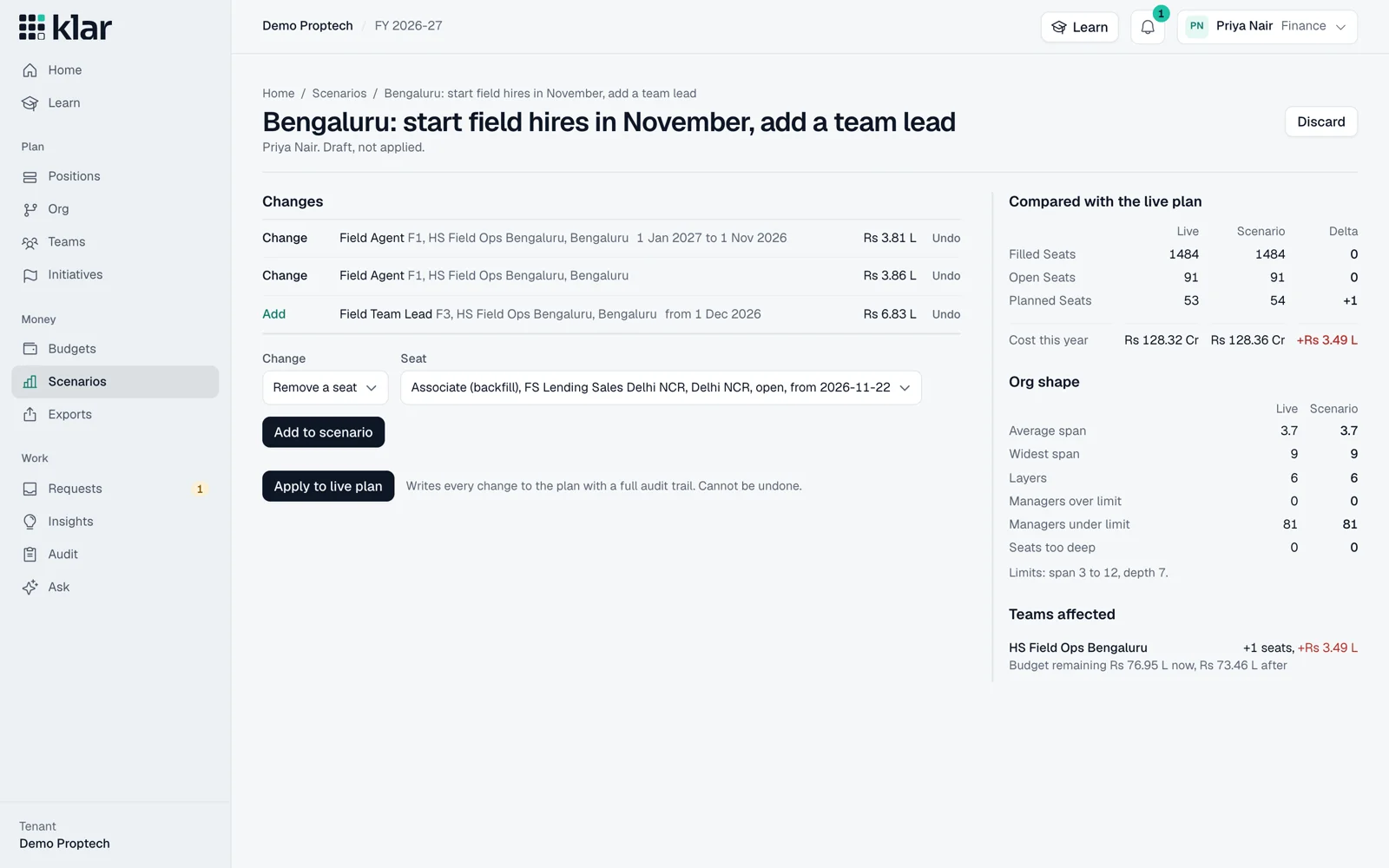
Explore a new role, a different start date, or another scenario. See how the choices affect your headcount and budget.
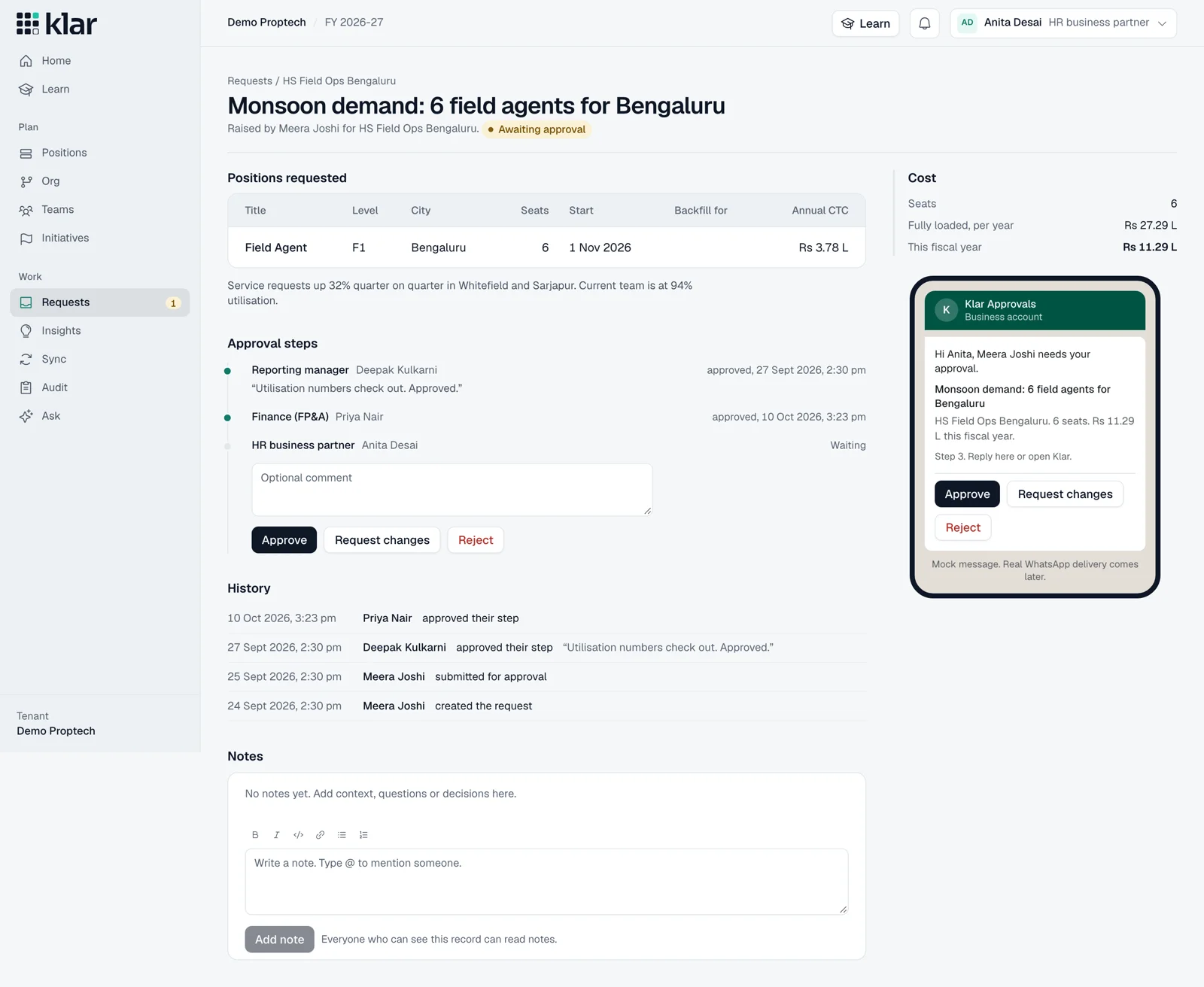
Give HR, finance, and hiring managers the information behind the request. Follow the approval path together.
A start date changes more than a calendar. Explore what it means for this year’s budget before making the call.
Explore scenarios with usWhen should this person join?
Start in July9 months in plan
Cost this financial year₹13.5 lakh
Example: ₹18 lakh annual cost, spread evenly across an April–March year. Actual costs depend on your plan.
See the Klar story, in 72 seconds.
Actual product. Sample workspace.
Full film includes sound and English captions.
Ask about your people plan in plain language. Get an answer grounded in the data you’re allowed to see.
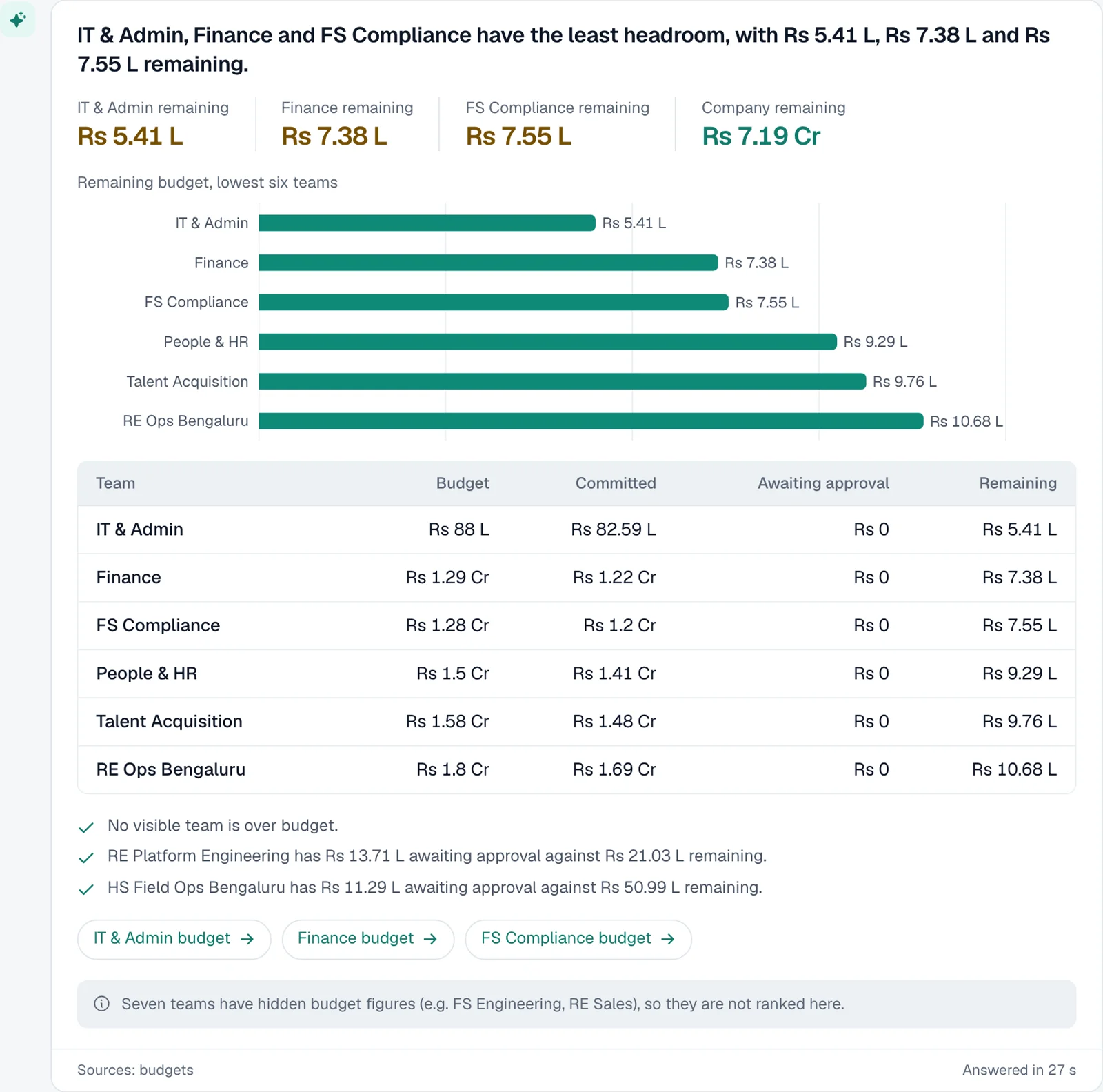
Klar connects positions, headcount budgets, hiring requests, and approvals in one shared plan. HR, finance, recruiters, and hiring managers each get the context they need.
No. Your HRMS holds employee records and your ATS manages recruiting. Klar connects the planning decisions between them. The current demo uses simulated connectors; production integrations depend on your systems and setup.
Access follows role and team scope. Salary fields and sensitive figures are masked when someone does not have permission to see them. Ask Klar follows the same visibility rules.
Yes. Explore changes to positions, start dates, and allocations, then compare their effect on headcount and cost before applying a decision.
The film and screenshots show the working Klar product with sample workspace data. The film also demonstrates simulated integrations and WhatsApp approval flows, rather than live production connections. The cost explorer on this page is an illustrative calculation.
Your people plan, with more perspective
Tell us where you’re headed.
We’ll show you how Klar can help you plan for it.